Five Ways to Write Good User Stories (Including Examples)
Five Ways to Write Good User Stories (Including Examples)
TL;DR
What exactly makes a good user story effective? A good US is more than a well-structured sentence. It’s a shared understanding. In this guide, we break down five practical ways to improve your stories using proven frameworks like the 3 Cs and INVEST, with clear examples from real SaaS and product contexts at the end.

Introduction
In the Wiara universe we like to see User stories as the very heartbeat of Agile product development. They represent what users need and why it matters, acting as the connective force that unites designers, developers, managers, and stakeholders around a shared goal. When made properly, user stories don’t just describe a feature; they lead to conversations, clarify priorities, and keep teams focused on delivering real value.
But here’s the catch: user stories can easily drift off course. All too often, they become overly technical, packed with jargon, or so vague that no one’s quite sure what success looks like. That’s usually the moment when confusion creeps in, teams lose momentum, and eventually leading to projects risk missing the mark.
So, what separates a user story that’s just “fine” from one that actually works? In this article, we’ll explore how to make your stories more accurate, relatable, and actionable to ensuring everyone’s pulling in the same direction and building the right thing, faster.
Ever wonder what makes a user story not just "fine" but genuinely useful?
For this particular topic it doesn’t really matter if you’re a founder, product owner, or a dedicated developer working on their project.. Clear user stories are the secret sauce for creating the right build in good time. In this post we break down five proven ways to write better user stories, featuring practical frameworks, field-tested tips, and real-world examples for you to reference later on.
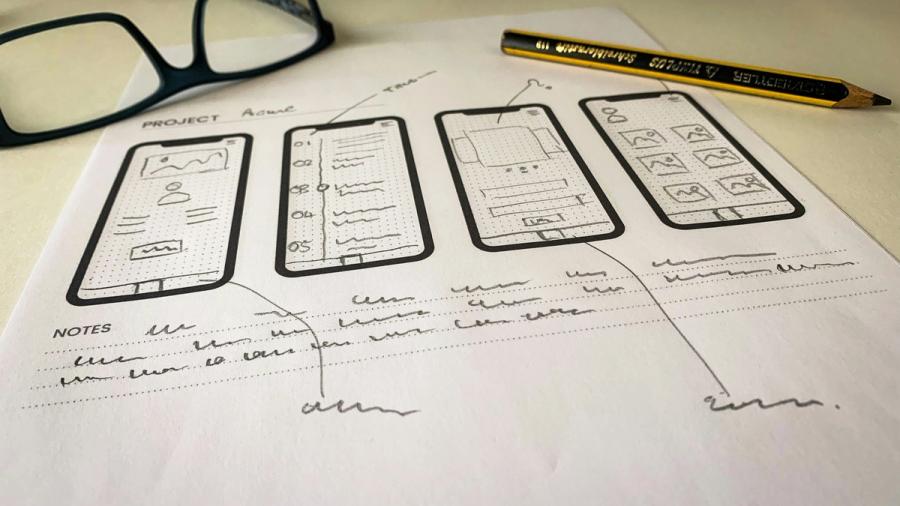
1. Understand and Apply the 3 Cs of a Good User Story
- Card – A simple, written note that describes a user need without drowning in detail.
- Conversation – The real magic happens here. Ongoing dialogue helps refine and clarify what’s needed.
- Confirmation – Clearly defined acceptance criteria that tell us when the story is “done.”
WIARA Note: Projects often get delayed not because the code structure is hard, but because the story is simply unclear. The 3 Cs cut through ambiguity and create shared understanding across the entire team. Making it clear what, where, how and why we're doing what we're doing.
✅ Pro tip: Use this format during grooming sessions to turn vague tickets into actionable work before sprint planning.
Mastering the 3 Cs isn’t just simple Agile theory. it’s a quick and practical way to make sure every story is clear, actionable, and aligned with real user needs. When you consistently apply Card, Conversation, and Confirmation, you’re setting your team up for fewer misunderstandings, far smoother sprints, and better results. Therefor you can think of the 3 Cs as your go-to habit to building the right thing, the first time.
2. Use the INVEST Criteria to Strengthen Your Stories
So, what does “good” really look like when it comes to user stories? Another good method of making sure we have that covered is to use the INVEST framework. You can think of it as a simple, memorable checklist that helps you stress-test every story before it hits your backlog:
- Independent – Each story should stand on its own, without tangled dependencies that can and likely will slow down delivery.
- Negotiable – Stories are a starting point for conversation, not a set of rigid specs. Leave room for discussion and creativity. Welcome change.
- Valuable – Every story should deliver clear value to the user or the business. If it doesn’t, ask why it’s there. Don’t be afraid to question things if something feels off.
- Estimatable – Your team needs enough detail to size up the effort; if it’s too vague, it’s time to clarify.
- Small – Keep stories bite-sized so they can fit comfortably within a single sprint. If it feels too big, slice it down to size.
- Testable – There should always be a way to confirm when a story is “done”. Setting clear acceptance criteria are a must.
💡 WIARA Insight: Focus on hitting at least five out of six INVEST criteria for stories at the top of your backlog. As you move further down, it’s okay to leave a bit more room for iteration and creative thinking.
Believe us when we say that the INVEST framework isn’t just a simple object from Agile theory. It can be your quality control for clear and effective user stories. When you use it consistently, you’ll notice your stories become easier to estimate, build, and test. That means fewer blockers, less rework, and a smoother path from idea to delivery. If you want stories that empower your team and delight your users, make INVEST your new habit of choice.
3. Write from the User’s Perspective and Keep It Simple
The best user stories always start with the user—plain and simple. That’s why the classic template is still the gold standard:
As a [user], I want [action] so that [outcome].
This formula keeps everyone involved focused on what really matters: the user’s needs and the value they’ll get. So instead of describing what the system does in technical terms, you’re going to clearly define why it matters to the person using it. That shift in perspective is powerful.
- Focus on the “why.” Always ask: What’s the real benefit for the user?
- Skip the jargon. Avoid internal language or acronyms that only your team would understand.
- Clarity beats cleverness. Simple, direct language wins every time and goes a long way.
🧠 WIARA Experience: When we transitioned to this user-first mindset, client push back mid-sprint dropped dramatically. You might ask: Why? Because expectations were finally aligned from day one. Everyone had a much clearer understanding of what the end user needed, and the clarity that we’re talking about in this publication made all the difference.
Writing user stories from the user’s perspective isn’t just simple good practice. It should be your way to building features people actually want. The simpler and clearer your stories, the less room there is for confusion, rework, or surprises. Keep it user-centric, keep it simple, and watch your team move faster with fewer headaches.
4. Collaborate and Refine—Don’t Settle for “One and Done”
User stories aren’t meant to be written once and forgotten. Think of them as living artifacts that evolve as your project and team’s understanding grows. Instead of treating stories as fixed specs, make regular refinement (or grooming) sessions a key part of your workflow. These sessions are your chance to clarify requirements, surface hidden challenges, and make sure everyone from product, dev, QA, and design team are on the same page.
🔁 WIARA Tip: Don’t be afraid to bring the right mix of people into the conversation. Sometimes, a quick chat with a designer or a QA lead can reveal some interesting edge cases or usability issues you hadn’t even thought to consider before.
Collaboration doesn’t just keep your backlog nice and tidy, but it also prevents costly misunderstandings and last-minute surprises. By treating user stories as living documents and refining them together, you’ll unlock smoother sprints, faster delivery, and a happier team. Don’t settle for “one and done”. Make collaboration your secret weapon for agile success. Welcome and expect change, because it always comes.
5. Define Clear Acceptance Criteria and “Done” Means Done
There is one final detail that you should consider when creating your US. Every good user story should answer the all-important question:
“How do we know we did it?” That’s where acceptance criteria really comes in.
Don’t leave “done” up to a free interpretation. Use clear, specific acceptance criteria to outline exactly what needs to happen for a story to be considered complete. Many teams find the “given/when/then” format helpful, but even a simple checklist can work wonders. Remember to cover both functional requirements (what the feature does) and UX/UI considerations (how it feels to use). With emphasis more on the user’s journey and less on the technical description.
And let’s be clear: “done” is more than just “code committed.” It means the story is tested, reviewed, merged, and ready to demo. So that no loose ends, nor surprises are expected.
✅ Example Acceptance Criteria:
- User is authenticated before task creation
- Task includes title, description, due date
- Tasks can be categorized and prioritized
Defining clear acceptance criteria is simply a game-changer. It turns the often vague idea of “done” into a concrete, shared milestone that everyone understands. This clarity really keeps your team aligned, cuts down on endless back-and-forth, and ensures the features you deliver truly meet expectations every single time. When everyone knows exactly what “done” means, you’ll experience smoother hand offs, faster releases, and ultimately, happier clients.
With these principles in mind, let’s take a look at some real-world examples of user stories that not only follow the theory but actually deliver results. Here’s how clear, well-crafted stories translate into successful features.

Real-World Examples: User Stories That Deliver
Example 1: Website – Personalized Homepage Content
User Story: As a returning visitor, I want to see personalized content so I can quickly access what matters to me.
3 Cs: Card, Conversation (personalization logic), Confirmation (criteria below)
Acceptance Criteria:
- System identifies returning users through cookies or login status
- Homepage displays “Recommended for You” with at least five items
- Feedback options available to refine future content
- Personalized content updates dynamically
INVEST: ✓ Independent ✓ Negotiable ✓ Valuable ✓ Estimatable ✓ Small ✓ Testable
Example 2: Mobile App – Offline Notes
User Story: As a user, I want to access and edit my notes offline so I can keep working without internet.
3 Cs: Card, Conversation (offline storage & sync), Confirmation
Acceptance Criteria:
- User can view and edit notes without connection
- New notes saved locally
- Changes sync on reconnect
- Conflict resolution prompt for simultaneous edits
INVEST: ✓ Independent ✓ Negotiable ✓ Valuable ✓ Estimatable ✓ Small ✓ Testable
Example 3: E-commerce – Guest Checkout
User Story: As a first-time shopper, I want to buy without creating an account so I can check out fast.
3 Cs: Card, Conversation (UX vs. data tradeoffs), Confirmation
Acceptance Criteria:
- Checkout available without account registration
- Required fields: shipping address, payment info
- Confirmation email sent
- Optional account creation post-purchase
INVEST: ✓ Independent ✓ Negotiable ✓ Valuable ✓ Estimatable ✓ Small ✓ Testable
Example 4: Mobile App – Personalized Push Notifications
User Story: As a user, I want notifications about new content based on my interests so I stay engaged.
3 Cs: Card, Conversation (opt-in/out, frequency), Confirmation
Acceptance Criteria:
- Users can set preferences
- Content-based triggers send notifications
- Notifications delivered promptly
- Deep links to relevant content
INVEST: ✓ Independent ✓ Negotiable ✓ Valuable ✓ Estimatable ✓ Small ✓ Testable

Closing Thoughts
User stories are the bridge between strategy and action. The blueprint that guides your team from idea to outcome. When it’s crafted with care, they reduce friction, align priorities, and deliver great value that actually lands in good timing. If your backlog feels like a tangle of vague tickets and mid-sprint confusion, these five principles are your reset button. Start using them today and you’ll not only ship faster—you’ll build smarter, collaborate better, and finally see momentum where it matters most.
Further Thinking

 Anton Toshev••5 min read
Avoiding the Trap of Over-Detailing User Stories
 Anton Toshev••7 min read
Remote Project Management Best Practices: Real-Life Tips for Global Teams
 Anton Toshev••9 min read
Progress Reporting Best Practices: Momentum, Blockers, and Decisions Explained
 Anton Toshev••5 min read
How to Prioritize Features Without Fighting About It - Part 1
 Anton Toshev••5 min read
What’s in a Sprint? How We Plan, Execute, and Improve Every 2 Weeks
 Anton Toshev••11 min read
The True Purpose of Daily Standups (And How to Make Them Work)
 Anton Toshev••10 min read
What Is Agile Really Like?
 Anton Toshev••8 min read
The WIARA Project Delivery Playbook: How We Manage Agile Projects from Kickoff to Launch